

Timeline
Every change and error on your site, newest first — plus the grouped view of repeating errors.
The Timeline is the raw record. Where an incident says "this probably caused it", the Timeline just shows you everything, in order.
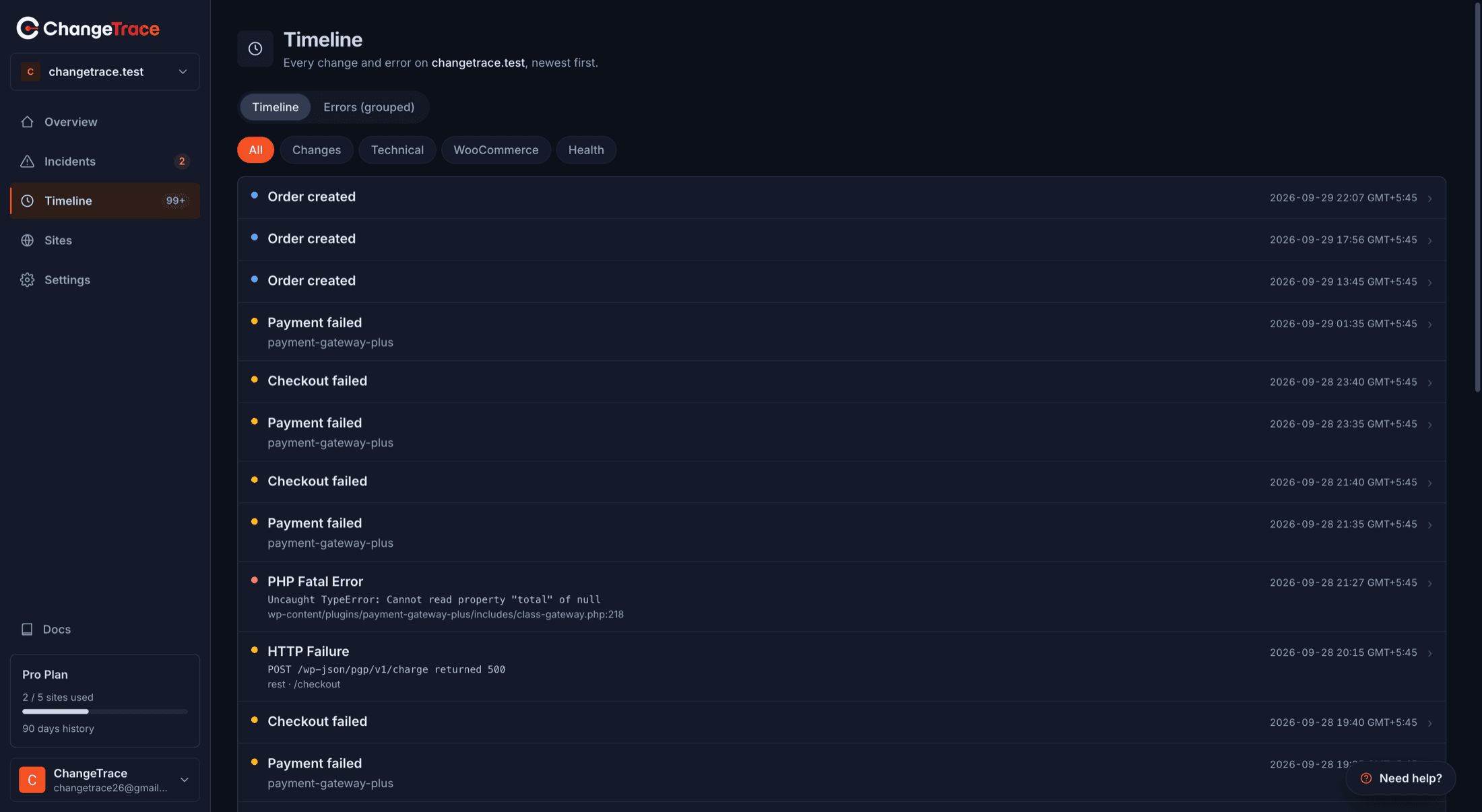
Two views
A segmented control switches between them.
Timeline — every event, newest first.
Errors (grouped) — the same errors collapsed by fingerprint, so one broken script that fired 900 times is one card with a count, not 900 rows. This is the view to use when something is spamming.
Category filters
| Filter | What it covers |
|---|---|
| All | Everything |
| Changes | Plugin activated, deactivated, updated or removed; theme changed |
| Technical | WordPress core updated; PHP version changed |
| WooCommerce | Product updated, order created, settings changed |
| Health | Heartbeats, uptime checks, health checks |
The chosen category is not kept in the URL, so a filtered Timeline is not a shareable link — copying the address gives the other person the unfiltered view. (The Incidents list is different: its status and severity filters are in the URL.)
The WooCommerce filter is currently empty
It filters on event names the plugin does not actually send, so it returns nothing even on a busy store — verified on a site with 181 recorded orders. Your order events are real and are being recorded; view them under All until this is corrected.
What a row shows
A coloured dot for the kind of event, a readable label, the error message where there is one, the
file or URL involved, version transitions as from → to, and the time in your own timezone.
Click any row for the full event.
Loading more
25 at a time, with Load more and a running count. Sorted newest first, always.
When it is empty
No events yet. Once the plugin detects changes, they appear here within a cron cycle.
Reasons, in the order they actually happen:
- You just connected. The first pass records your plugins and theme as a baseline and emits nothing. Changes after that produce events.
- Nothing has changed. A site nobody touches produces no change events, which is correct.
- The plugin is not sending — see Troubleshooting.
- Events aged out. Free keeps 7 days.
What lands here, and how fast
| Event | Appears |
|---|---|
| Plugin activated, deactivated, updated, removed | Within ~5 minutes |
| Theme changed | Within ~5 minutes |
| WordPress core updated | Within ~5 minutes |
| PHP version changed | Within ~5 minutes |
| PHP fatal errors | Within ~5 minutes |
| JavaScript errors | Sampled — see below |
| Failed outbound requests, REST 500s | Within ~5 minutes |
| Heartbeats | Hourly |
Changes made outside wp-admin take longer
A plugin updated over SFTP or with WP-CLI fires no WordPress hook. ChangeTrace catches it with a periodic reconcile that runs when someone next loads the admin, at most once every five minutes.
So: changes made in wp-admin appear promptly; changes made on the command line appear once somebody opens wp-admin.
JavaScript errors are sampled
Only about 25% of page loads report JS errors, capped at 5 per page load, with duplicates collapsed. A rare browser error may never be sent at all.
This is a deliberate trade — unsampled JS error collection on a busy shop is a firehose that costs your visitors bandwidth. If you are chasing a specific intermittent error, the grouped Errors view is more useful than hunting the Timeline.
PHP notices and warnings are not collected
Only fatal errors and explicitly-raised user errors are captured. Notices and warnings are far too noisy on a typical WordPress site to be worth sending.