

Connect with a token
The manual alternative — register the site in the dashboard, copy the token once, paste it into WordPress.
The one-click connect is the normal path. Use a token instead when the browser round trip is not available to you — a locked-down admin, a site behind HTTP auth, or an automated provisioning script.
The trade-off: the token is shown exactly once, and there is no way to retrieve it later.
Registering the site and copying the token
Add the site in the dashboard
At app.change-trace.com, go to Sites → Connect site.
Enter your domain
One field: Site domain, in the form shop.example.com. Leave off https:// and any path —
if you paste a full URL it will be trimmed for you.
Copy the token immediately
The token appears once, starting with site_tok_. Copy it before navigating away.
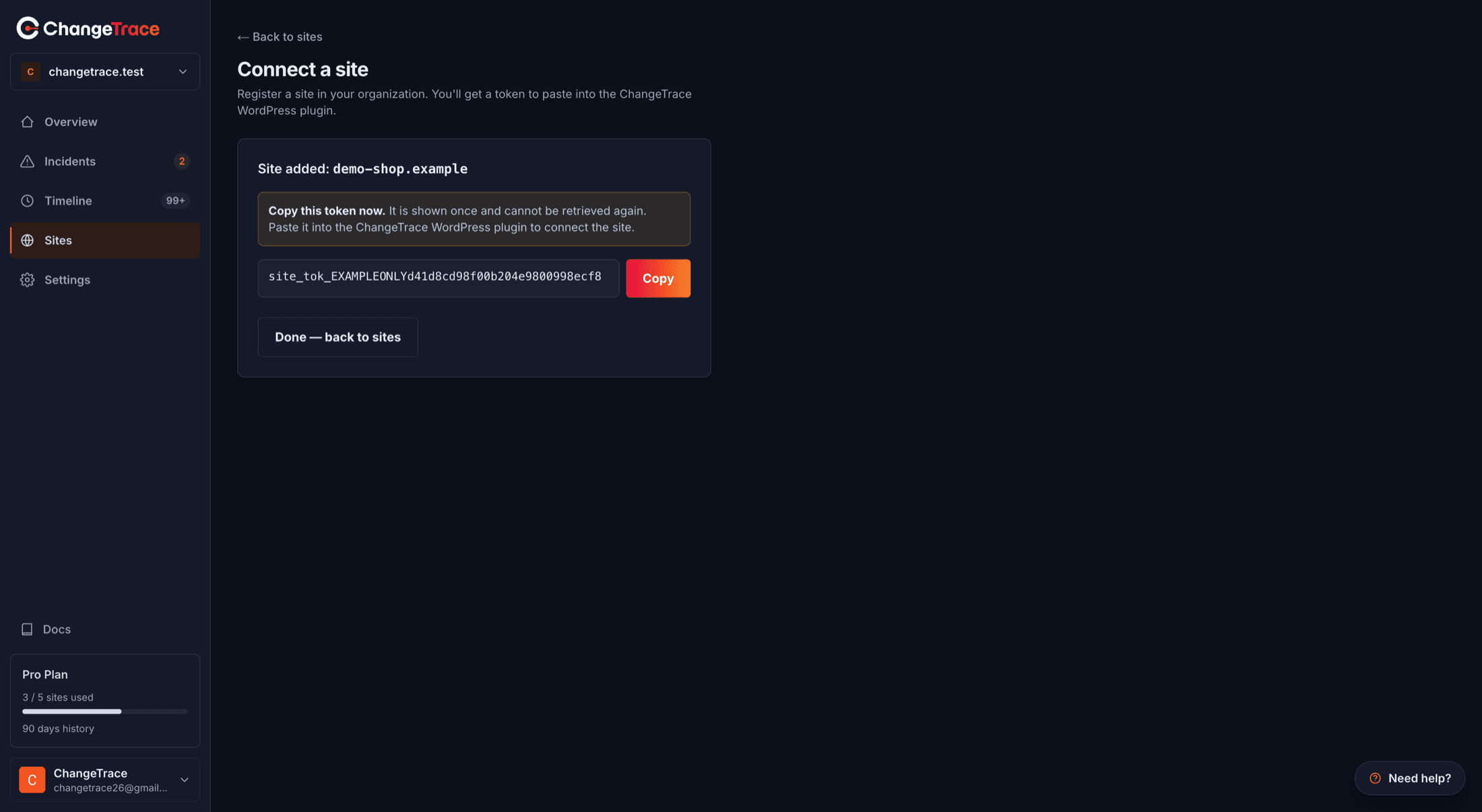
One chance
ChangeTrace stores only a hash of the token, so it genuinely cannot show it to you again. Lose it and your only options are re-running the one-click connect, or deleting the site and registering it afresh. There is no rotate button.
Paste it into WordPress
On the ChangeTrace screen in WordPress, expand "Enter a token manually instead", paste the token, and save.
The plugin checks the format, then calls the API to confirm the token works.
Results you might see
| Result | Meaning |
|---|---|
| Site connected successfully | Token accepted and verified |
| Token saved, but the ChangeTrace API could not be reached to confirm it | Saved locally, unverified — send a test heartbeat once connectivity is back |
| Unable to connect this site to ChangeTrace | Malformed, revoked, or belongs to a deleted site |
| That token belongs to a different site | Bound to another domain — register this site separately |
How the token is stored
- In a single WordPress option, not autoloaded.
- Never printed on screen. The status table shows
site_tok_••••••••plus the last four characters. - Sent only as an
Authorization: Bearerheader over HTTPS. - Deleted from your site when you disconnect or uninstall.
ChangeTrace's side keeps only a SHA-256 hash, which is why a lost token cannot be recovered.
{ }For developers
Token format is site_tok_ followed by at least 16 alphanumeric characters; the plugin
validates that shape before making a network call. Verification is a GET /api/v1/sites/me/status
with the token as a bearer credential. The plugin also sends X-ChangeTrace-Site-Url on every
request, and the API rejects a mismatch with a 409 — that is the "belongs to a different site"
case, and the same guard powers safe mode.