

Settings
The five things you can change, and where the settings that aren't here live instead.
One page, five cards.
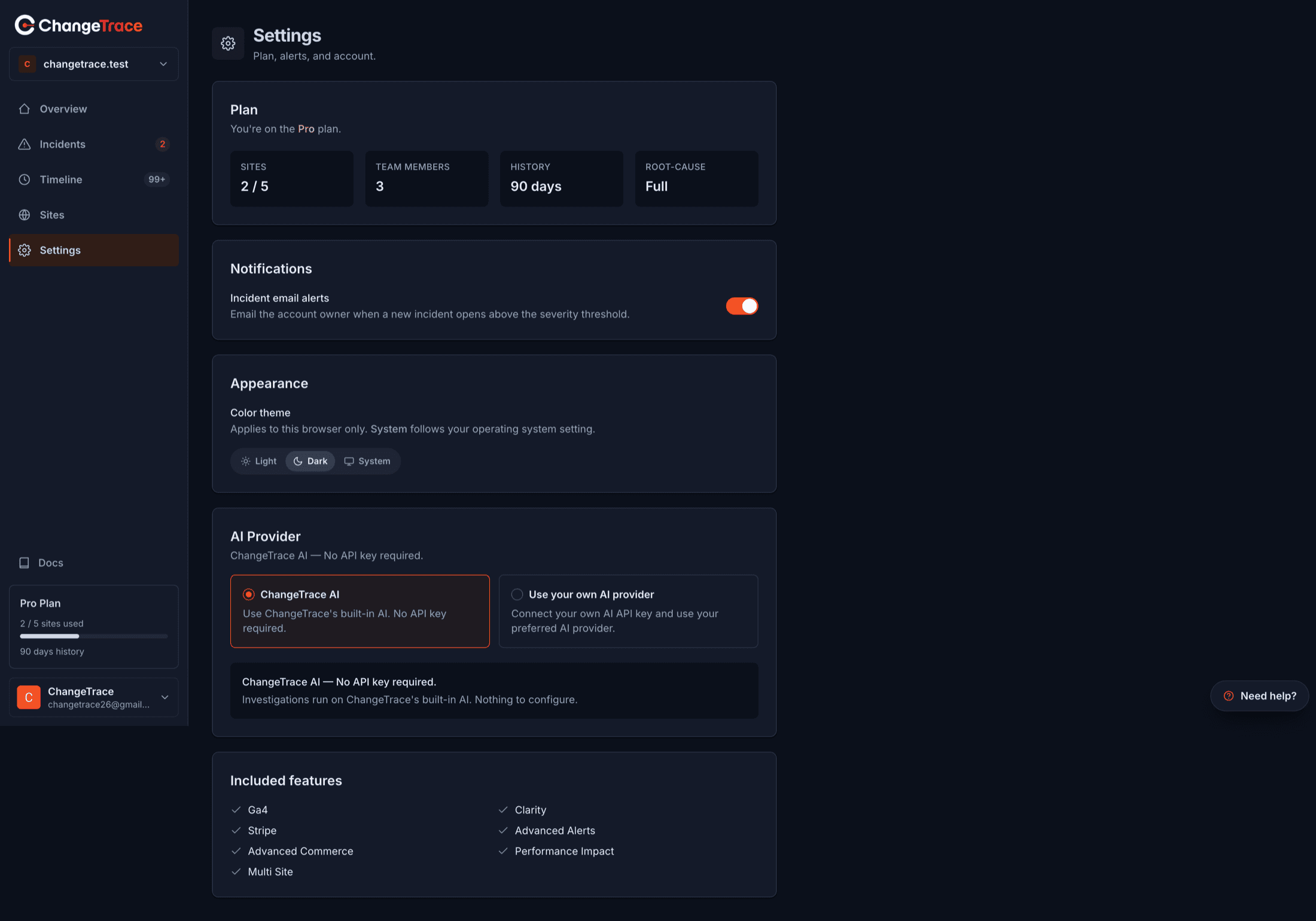
Plan
Read-only. Your plan name and four numbers: sites used of your maximum, team members, days of history, and root-cause depth (Full or Basic).
There is no upgrade button — self-serve billing is not live yet. Plans and limits →
Notifications
One switch: Incident email alerts.
Email the account owner when a new incident opens above the severity threshold.
On by default, and it applies to the whole organization rather than to you individually. Turning it off silences incident email for everyone. Email alerts →
Appearance
Light, Dark or System. System follows your operating system.
This setting lives in your browser
The theme is stored locally and never sent to ChangeTrace. Change it on your laptop and your phone still looks however you left it. Clearing site data resets it to System.
AI provider
Either ChangeTrace AI (built in, no key needed, metered against your plan) or your own API key from OpenAI, Anthropic, Google Gemini, OpenRouter or NVIDIA.
Your own key is per-user, not shared with your team, and is stored encrypted and never shown again. Use your own API key →
Included features
A checklist of what your plan includes. Hidden entirely on the Free plan, which has no feature flags — that is expected, not a bug.
Settings that live elsewhere
| Setting | Where |
|---|---|
| Selected site | Sidebar switcher (remembered per browser) |
| Add, view, delete a site | Sites |
| Your name, email, password, two-factor | Manage account in the user menu |
| Team members | Nowhere yet — see below |
| Site tokens | Issued once at registration; no management screen |
| Uptime monitoring | Automatic, not configurable |
Not configurable yet
Worth knowing so you stop hunting:
- Team invitations. Your member count is shown but there is no invite screen.
- Alert severity threshold and recipients. The switch is all or nothing; only organization owners are emailed. Details →
- Which collectors run. Controlled by ChangeTrace, not per-site.
- Retention. Determined by your plan.
For any of these, the Need help? widget is the route.