

AI investigations
Ask ChangeTrace to explain an incident in words, and to answer follow-up questions about it.
Two AI features sit on the incident page. Neither runs on its own — nothing is sent anywhere until you click.
AI explanation
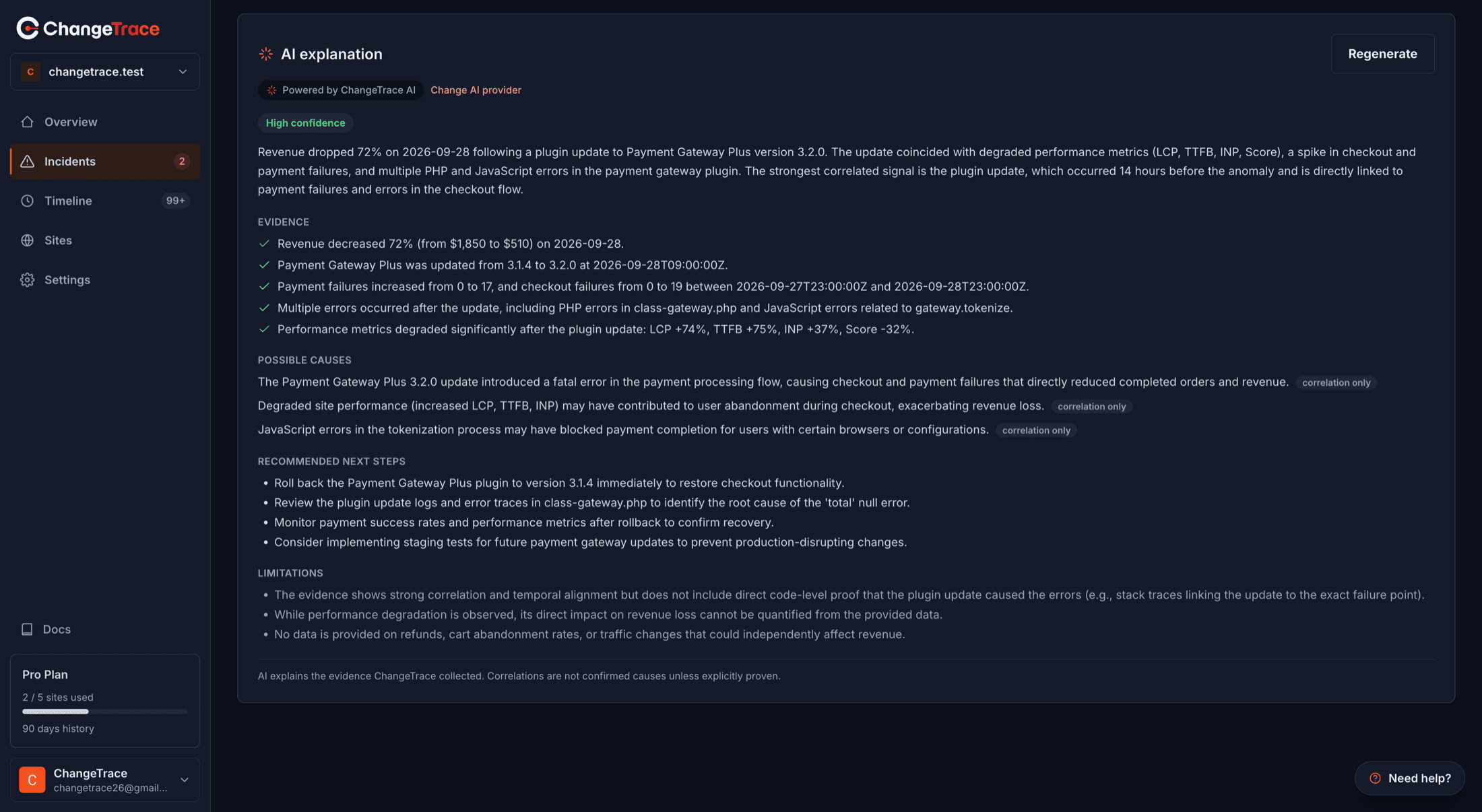
The Generate AI explanation button turns the evidence ChangeTrace already collected into a written summary.
You get:
- A confidence chip — High, Medium, Low or Uncertain
- A prose summary of what likely happened
- Evidence, as green-checked bullets
- A recommended next step
- Limitations — what it could not determine
A Regenerate button reruns it. A small badge shows which provider will serve the request.
It only sees what ChangeTrace collected
The explanation is written from the events, metrics and ranked causes on that incident. It has no access to your site, your database or your code, and it is not searching the web. If the evidence is thin, it says so rather than inventing a story.
Ask ChangeTrace
A question box at the bottom of the incident page, scoped to that incident and site — a focused investigation assistant, not a general chatbot.
Suggested prompts:
- Why did my sales drop?
- What changed before this incident?
- Explain this incident
- Could this plugin update have caused the problem?
- What should I investigate first?
Follow-ups keep the thread, with the last few messages carried as context. How many follow-ups you get depends on your plan — 2 on Free, 6 on Pro, 10 on Agency.
Clear conversation starts fresh. Nothing is stored between sessions; reload the page and the thread is gone.
What it costs you
On ChangeTrace AI (the built-in provider), usage is metered against your plan:
| Plan | AI investigations |
|---|---|
| Free | 10 per month |
| Pro | 200 per month, 50 per day |
| Agency | 1,000 per month, 200 per day |
Limits are per user, on UTC calendar months. A failed request does not count — if the provider errors, your allowance is refunded.
Hit the limit and you get a message rather than an error, plus an offer to use your own API key, which is unmetered.
Rate limits
Ten AI requests a minute per account. Generous for a human, deliberately not enough for a script.
How much to trust it
Same rule as everything else on the incident page: the AI interprets, it does not observe.
- The Evidence panel is measurement. Trust it.
- The AI explanation is a reading of that measurement. Use it as a hypothesis.
A confident-sounding explanation naming a plugin is still a lead to verify, not a conclusion.